
News Share app icon

In development

News Share

Discover article links, share what matters, and keep the conversation together.

A closer look

Screenshots

Development previews. Details may change before release.

Stories, people, and perspective

What you can do

News Share is an Android app for discovering and sharing links to web articles, discussing stories, and organising reading around your interests. It is developed and operated in South Africa by BK Sekulane (Brighton Sekulane) under the LaunchAlike Studio app brand.

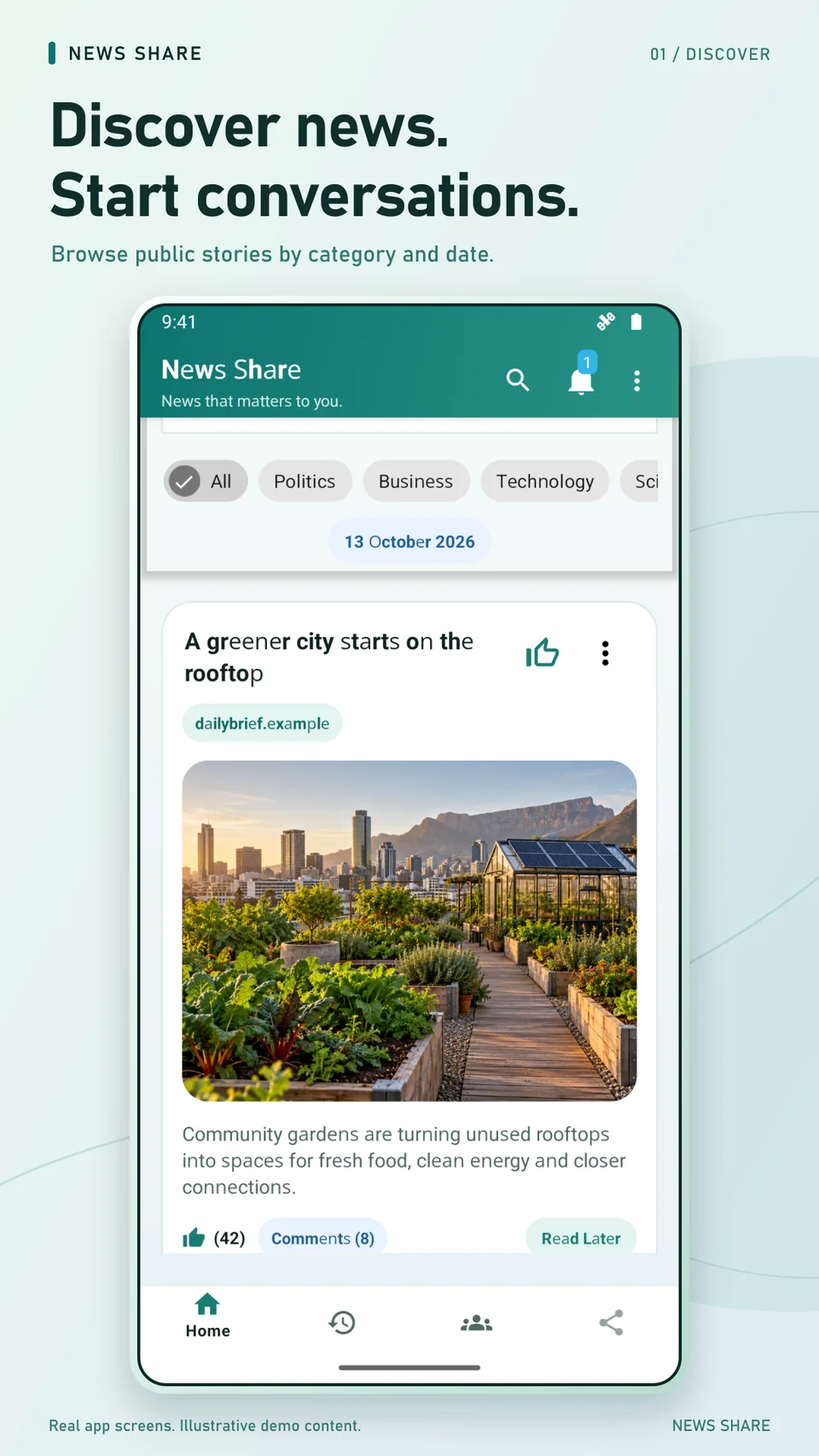
  • Discover public news posts by category and search for public article links.
  • Share a link with an available preview, choose or change its suggested category, and post publicly or to a group you can access.
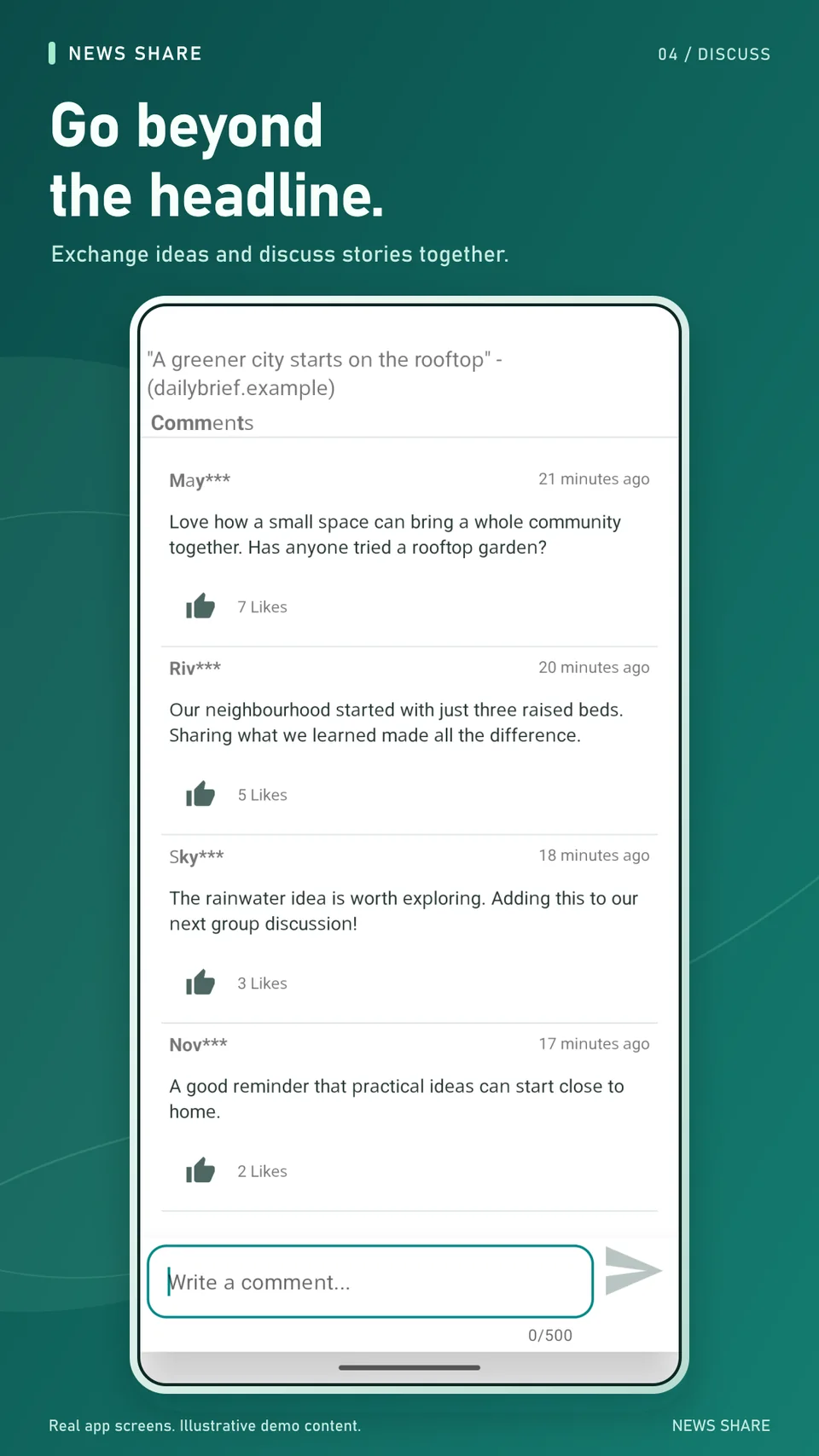
  • Discuss stories through comments and likes, report content or users, and use blocking controls to filter your own experience.
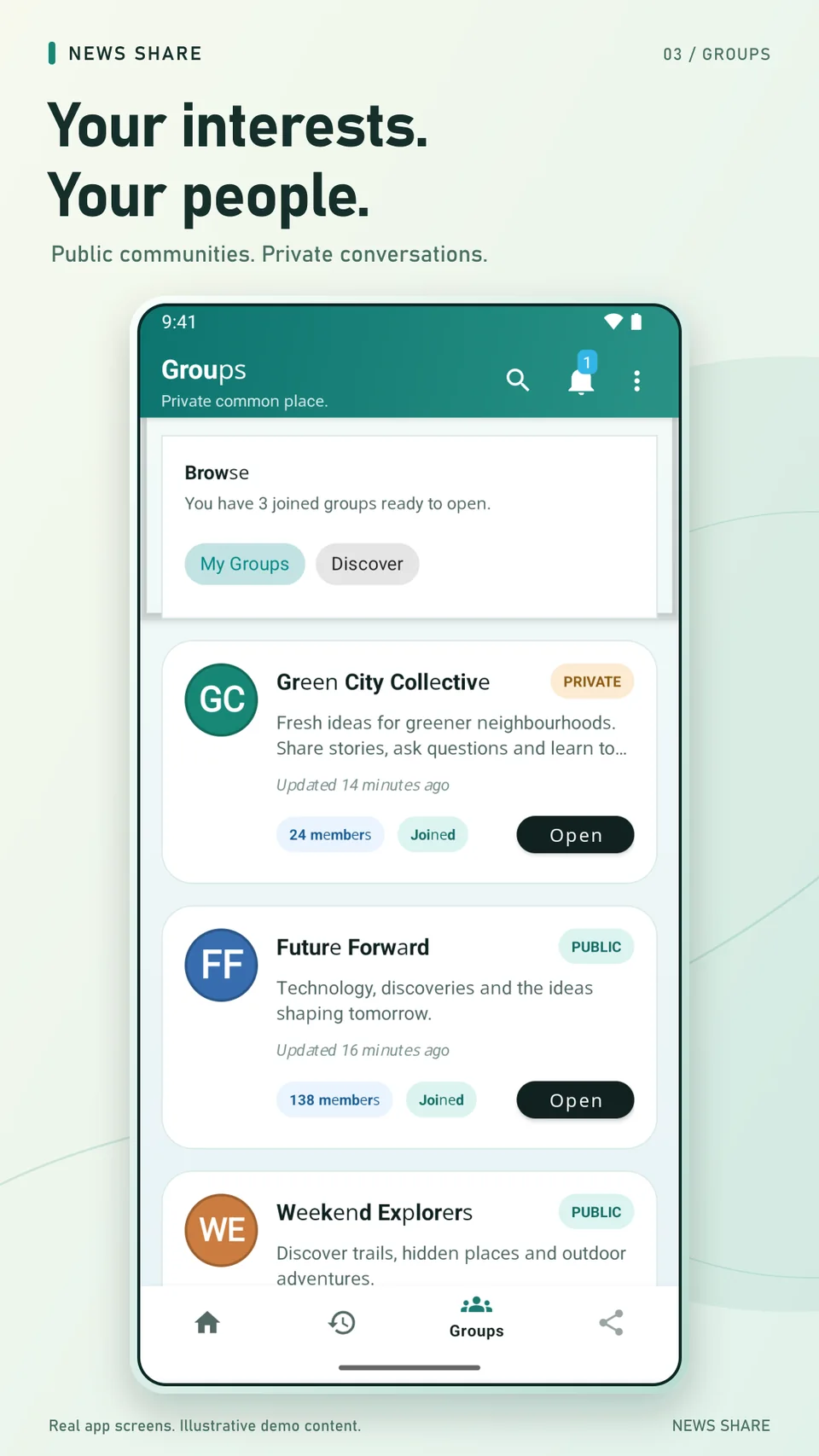
  • Create public or private groups. Private-group owners approve join requests; group owners can remove members and group posts.
  • Use Read Later and Catch Up to keep a local reading list. Where a publisher permits and the page can be saved, an offline copy is prepared on your device. A saved article can return to the live page when connectivity returns.
  • Choose notification categories and review available group and article notifications.
  • Edit your public display name and unique username, manage sign-in, or delete your account in Settings.

Features depend on connectivity, permissions, publisher availability, and your account or group access. A publisher may block automated previews or require JavaScript, cookies, sign-in, or verification. In that case a shared link may show only its supplied title or a title derived from its address, without an image or summary. Open the source for the article. Offline copies are not guaranteed for every site, are not a paywall bypass, and may omit images, interactive content, or later corrections.

Good to know

A few questions, answered.

Who publishes the articles?

News Share is a link-sharing community, not the publisher of linked articles, a fact-checking service, or a source of professional advice. Articles, images, trademarks, and other publisher material belong to their respective rights holders. Follow the source link for the publisher's full article, context, terms, and any access restrictions.

Do I have to use my real name?

Choose a display name and a unique username rather than publishing your real name. Other users can see the alias attached to your posts, comments, and group activity. Display names are not necessarily unique. Do not include private details in your alias or content.

Your sign-in email address or phone number is not deliberately displayed as your public profile. Sign-in providers still process account information, and an anonymous or guest account still has a technical identifier. A private group limits access within the app; it is not end-to-end encrypted, and members can copy or share what they see.

Can I pause the ads?

Advertising helps support News Share. The app uses Google AdMob and offers advertising privacy choices where required and available. Eligible, optional rewarded ads can provide a temporary 45-minute pause of ads managed by News Share. Availability and completion conditions apply; the reward is not money or a permanent ad-free purchase.

Pausing ads is different from changing privacy consent. It does not turn off Firebase analytics or crash reporting, erase data already collected, or remove advertising embedded by third-party article websites. Read the Privacy Policy for the data involved and the controls available.

Who is News Share for, and how do I report harmful content?

News Share is intended for teens aged 13 and over and adults, subject to any higher applicable legal or store age requirement and necessary parent or guardian authorisation. Share responsibly, respect intellectual property, and keep discussion lawful and respectful. Public nudity is prohibited, as is real-world graphic violence outside genuine news reporting. Use the app's report controls for harmful content or users, or contact support with the relevant post, group, or username. Reporting is not an emergency service and does not guarantee immediate removal. For immediate danger, contact the appropriate local emergency service.

The Terms of Use explain account responsibilities, community standards, moderation, and service limitations. Third-party libraries retain their own licences; acknowledgements are available in the app's Open-source licenses page.

How do I delete my account?

To delete an account in the app, open Settings, choose Delete account, and complete the typed confirmation. Alternatively, use the News Share account-deletion request page without reinstalling the app. That form prepares an email: you must send the email for the request to reach support. Preparing the message alone does not delete anything.

The Privacy Policy's account-deletion section describes verification, the deletion scope, retained records, and limitations.

When can I try News Share?

News Share is still in development, and a public launch date has not been announced. Follow LaunchAlike Studio for future release news.

Direct to the developer

Questions about News Share?

For help, privacy questions, content concerns, or account requests, email bk.sekulane.dev@gmail.com. Include News Share, your username or account ID if known, and only the details necessary to explain the issue. Never send passwords, sign-in links, or verification codes.